
Built for UAE and GCC workshops
Auto Repair Shop Software
Manage Every Repair From Appointment to Payment
Sianty brings bookings, repair jobs, technicians, parts, billing, and customer records into one cloud platform. Your team can see what is happening, what needs attention, and what comes next.
Built for modern auto repair shops and workshops across the GCC, with the flexibility to support businesses worldwide.
One operating record
Run Your Entire Auto Repair Workflow in One Platform
A disconnected workshop loses time at every handoff. When the service advisor writes notes on paper, the technician has to ask questions. When the technician finds a new issue, the advisor has to build a manual estimate.
Sianty removes the friction between your front desk and the workshop floor. Every step of the repair process feeds directly into the next.
The important question is not whether each feature exists. It is whether the information recorded at one stage becomes useful at the next stage without being entered again.
Vehicle Check-In to Inspection
The customer arrives. The service advisor logs the vehicle details and customer concerns. This instantly opens a digital inspection checklist for the technician. Workshops like Salmo Auto Maintenance run this entire step on iPads directly at the vehicle bay.
Inspection to Estimate
The technician notes a worn brake pad. This inspection finding becomes a recommended service. It moves straight into a formal quote. No one has to re-type the problem.
Customer Approval to Job Card
You share the estimate with the customer. They approve the brake replacement. The approved work instantly becomes an active assignment for your workshop.
Job Card to Parts
The active job alerts your inventory team. The required brake pads connect to the specific repair. Your stock levels update automatically.
Repair to Invoice
The technician finishes the work and marks the job complete. The recorded labor and assigned parts automatically build the final bill.
Invoice to Follow-Up
The customer pays the bill. The system updates their permanent vehicle history. It then schedules an automatic reminder for their next service interval.
A real workshop situation
See How a Repair Moves Through Sianty
Stop guessing what happens on the workshop floor. Watch a real repair move from the front desk to the customer's driveway.
Appointment
What happens: A customer calls to book a service.
What Sianty does: The service advisor selects an open time slot and assigns it to a bay.
The result: No double bookings.
Vehicle Check-In
What happens: The vehicle arrives at the workshop.
What Sianty does: You capture the mileage and vehicle condition on a tablet.
The result: Digital records start before the car even enters the bay.
Inspection
What happens: The technician examines the vehicle.
What Sianty does: The technician uses a digital checklist on their phone or tablet. They mark items red, yellow, or green.
The result: Clear visual proof of what needs fixing.
Estimate
What happens: The shop prices the required work.
What Sianty does: Failed inspection items automatically populate a new quote. You add parts and labor costs.
The result: Faster quotes with zero re-typing.
Customer Approval
What happens: The customer reviews the quote.
What Sianty does: You send the estimate digitally. The customer clicks to approve the work.
The result: Written consent is instantly logged in the system.
Job Card
What happens: The approved work becomes an active task.
What Sianty does: A digital job card is generated. It alerts the assigned technician.
The result: At multi-bay locations like Al Tamayuz Al Handasy Engineering Center in Sharjah, technicians know exactly what to do without walking to the front desk.
Technician Work
What happens: The repair begins.
What Sianty does: The technician clocks into the specific job card. They log their active hours.
The result: You see exactly who is working on what car in real time.
Parts
What happens: The technician needs components.
What Sianty does: Parts are requested and assigned directly to the job card. Inventory levels drop automatically.
The result: No parts leave the stockroom without being billed to a repair.
Quality Check
What happens: The repair is finished and reviewed.
What Sianty does: The manager marks the job card as complete.
The result: The vehicle is cleared for customer collection.
Invoice
What happens: The final bill is generated.
What Sianty does: All approved labor and assigned parts convert into a final invoice.
The result: You never forget to charge for a part used on the floor.
Payment
What happens: The customer pays for the service.
What Sianty does: The invoice is marked paid. Revenue reports update instantly.
The result: Clean financials and faster checkouts.
Vehicle Collection & Follow-Up
What happens: The customer drives away.
What Sianty does: The vehicle history is permanently saved. The system queues a future service reminder.
The result: You secure the next visit before they even leave.
Role-based control
Everything Your Repair Shop Needs to Manage Daily Operations
Sianty gives you the tools to run your entire business from one screen. Each feature has a specific job, but the value comes from how customer, vehicle, repair, stock and billing records remain connected.
Front desk
Customer, booking and approval work
The front desk can carry the same customer and vehicle record from the first booking into the repair instead of rebuilding it at every step.
Customer & Vehicle Management
Track owner details and complete repair histories in one place. Sianty already manages data for over 25,000 vehicles. This speeds up check-in when a customer returns.
Explore Garage CRMAppointment Scheduling
Book bays and technicians ahead of time. You prevent double bookings and control your daily workshop capacity.
Estimates & Quotations
Convert inspection findings directly into priced quotes. You send accurate pricing to customers faster.
Customer Communication
Keep estimates, approvals, repair updates and follow-up attached to the customer and vehicle record. Advisors can answer from the job instead of searching personal messages.
Workshop floor
Inspection, job card and technician work
Technicians can record what they find, see what the customer approved and update the same repair record while standing beside the vehicle.
Digital Inspections
Build visual checklists for your technicians to use on their phones. You show customers exactly what needs fixing instead of just telling them.
Digital Job Cards
Manage repair work digitally from check-in through completion. Your technicians start work immediately without chasing paper notes.
Explore Digital Job CardsTechnician & Work Management
Assign work by technician and bay, record active repair status and show the next action. Managers can see whether a vehicle is being repaired or is waiting for approval, parts or quality checking.
Parts and billing
Parts, invoices and payments
The commercial record follows the repair. Parts issued to the job and labour completed by the technician can reach the invoice without a second handwritten list.
Parts & Inventory
Track available components and assign them to specific repairs. You stop losing money on unbilled parts.
Explore Inventory ManagementBilling & Invoicing
Build an itemised invoice from the work completed and the parts used on the job. VAT and customer details stay with the same record.
Payments
Record deposits, full or partial payments and outstanding balances against the repair. Accounts can follow what has been invoiced, paid or still owed.
Management
History, reporting and more than one site
Owners and managers can review current work as well as the record left behind after the vehicle is collected.
Service History
Keep completed repairs, inspection findings, approved work and declined recommendations with the vehicle. The next advisor can see what happened before the next visit begins.
Reporting
Review open jobs, bay activity, technician workload, invoiced work, payments and parts usage from operating data created during the day.
Multi-Site Management
Give each branch responsibility for its own team, jobs and stock while management reviews the wider business from a combined view.
From activity to control
From Repair Work to Business Results
Auto repair shop software is not just about organizing files. It is about making your business run faster and more profitably. Sianty helps workshops achieve measurable improvements, including up to 40% revenue growth and a 30% reduction in time spent per job. These figures come from a named customer case study, not a universal promise.
Reduce Administrative Work
Stop typing the same information three times. When your service advisor enters customer details at check-in, that data flows directly to the inspection, the estimate, and the final invoice. You eliminate duplicate data entry and manual paperwork.
Keep Every Repair Moving
A vehicle sitting in a bay waiting for an answer costs you money. Digital job cards give you complete visibility of where every vehicle is in the workflow. Technicians know exactly what to do next without walking to the front desk. This connected approach helped one named Sianty customer report a 25% improvement in efficiency.
Reduce Missed Parts and Billing Errors
Paper job cards lead to forgotten parts. Sianty connects your inventory directly to active repair jobs. When a technician uses a component on the floor, the system adds it to the repair record so it can reach the final bill. You stop giving away parts for free.
Give Customers More Visibility
Car owners hate waiting for updates. You can send digital inspection findings and formal estimates to the customer, record the approval and retain that decision with the repair. Advisors can answer from the job record instead of searching calls and messages.
Make Better Decisions With Real-Time Data
Owners and managers can review open jobs, billed work, payments, bay activity and parts usage from current operating data. The figures are created while the team works, which reduces the need to rebuild a daily report from paper job cards and separate spreadsheets.
One source of repair truth
Replace Disconnected Workshop Tools With One System
Most auto repair shops do not start with a single management platform. They build a process piece by piece. You write vehicle details on a paper clipboard. You track inventory in a spreadsheet. You send estimates through WhatsApp. You type up the final bill in a separate accounting program.
This disconnected setup creates expensive blind spots. Sianty replaces this fragmented approach with a single, connected workspace.
WhatsApp, spreadsheets and accounting tools are not automatically the problem. The problem begins when the approval, part, technician update and invoice cannot be traced to the same repair.
The Disconnected Workshop
The team has to rebuild the story
- Paper Job Cards: Greasy, hard-to-read notes get lost between the front desk and the bay.
- Spreadsheet Inventory: Manual stock counts fall behind, leading to unexpected parts shortages.
- WhatsApp Approvals: Customer consent gets buried in personal chat histories or unrecorded phone calls.
- Manual Invoicing: Service advisors manually re-type labor hours and parts lists from paper notes, risking forgotten charges.
One Connected Operation With Sianty
The repair record tells the story
- Digital Job Cards: Technicians access clear, active tasks on tablets directly at the vehicle bay.
- Connected Parts Allocation: Required components are assigned to specific repair jobs, updating stock levels.
- Digital Approvals: Customers receive formal estimates and approve selected work. Consent remains logged with the repair.
- Connected Billing: Approved labor and consumed parts build the final invoice without the front desk typing the repair again.
Different roles, shared record
Built for Every Team Member in Your Repair Shop
New software fails when it only helps one person in the building. Sianty is built with a role-based design so every person in your workshop gets the exact tools they need. Each person sees the part of the repair they need, while the owner keeps the wider operating picture.
Shop Owners
You track total daily revenue, overall bay utilization, and multi-branch performance from a single screen so you can make informed decisions about growth.
Workshop Managers
You see a live look at every active vehicle on your floor, track job status updates instantly, and spot delays before they back up your schedule.
Service Advisors
You handle bookings quickly, build digital inspection checklists, and convert findings into professional estimates in minutes.
Technicians
You access clean digital job cards on tablets right at the bay, log inspection notes, snap photos, and request parts without desk trips.
Parts & Inventory Team
You connect stock directly to active jobs. When a mechanic requests a filter, the inventory system tracks the assignment automatically.
Accounts Team
You get clean numbers with zero discrepancies. Completed job cards and approved parts convert into accurate invoices automatically.
Fit by operating model
Built for Different Types of Auto Repair Businesses
A three-bay independent garage does not operate like a commercial fleet centre. The repair workflow stays familiar, while access, stock, reporting and capacity change with the business.
Independent auto repair shops
In a small garage, the owner may price work at the front desk, answer customer calls and check the floor in the same hour. Sianty keeps customer details, the inspection, approval, repair, parts and payment inside one job. The shop can replace paper job cards and separate spreadsheets without introducing a process built for a large enterprise. It can begin with the parts of the system that address the biggest daily gaps, then add more users, inventory control or another location as the business grows.
Multi-bay workshops
A full bay does not always mean productive work. One vehicle may be waiting for customer approval, another for a part and a third for a quality check. Sianty gives the manager a current view of each active job and the reason it is waiting. Work can be assigned by technician and bay, then updated from the floor. Salmo Auto Maintenance uses iPads in an eight-bay workshop so technicians and management can work from current vehicle and repair information.
Automotive service centres
Higher daily volume puts pressure on check-in, estimating and customer updates. The service centre needs a repeatable process that keeps the vehicle history available while new inspection findings and approvals are recorded for the current visit. Sianty connects scheduled work, job cards, technician progress, parts and invoicing. Advisors can respond from the repair record instead of asking the workshop floor to reconstruct the latest status for every call.
Multi-location and franchise workshop groups
Adding a location creates questions that a single-site system may not answer. Which branch owns the customer relationship? Where is the required part? Should labour rates and access rights be the same everywhere? Sianty supports branch-level teams, stock and reporting with central management visibility. The operating process can remain consistent while each site handles its own bookings, repairs, parts and billing. Owners can review the group without giving every employee access to every location.
Fleet maintenance operations
A fleet workshop needs to connect planned maintenance with the work actually completed. Service alerts should become repair jobs, and each vehicle should retain its inspection, parts, labour, invoice and maintenance history. Sianty can connect fleet maintenance requirements with workshop job cards so a scheduled service does not remain isolated in a separate spreadsheet. Managers can follow costs and service activity by vehicle while the workshop team uses the same repair process as other jobs.
EV and specialist workshops
Specialist repairs place more weight on accurate model, VIN, mileage, inspection, repair and payment records. On a high-value EV, a missing detail can weaken both the technical history and customer confidence. EVU EV Service Center uses Sianty for job cards, itemised billing and Arabic and English access. The same vehicle information remains available from the technician’s work through the front desk and invoice, with 24/7 support available when the team needs help.
These categories describe operating models Sianty can support with its workshop, inventory, billing, reporting and fleet connections. The setup still needs to be tested against the real users, branches, tax rules, services and integrations required by the business.
Dealership and authorised-service operations are not presented as a separate category here because the available public evidence does not confirm the brand, warranty and manufacturer-system requirements such an operation may need.
A regional workshop platform
Why Sianty for Auto Repair Shops?
Auto repair software is easy to compare badly. Two systems may both list job cards, inventory and invoicing. The real difference appears when the workshop gets busy.
Can an advisor see why a repair has stopped? Does the parts team know which job needs a component? Can the technician tell whether extra work has been approved? Can the owner trust the figures without checking three separate reports?
Sianty is built to answer those questions from one shared repair record.
Built Around Workshop Operations
Sianty follows the way repair work moves through a garage. A vehicle arrives with a customer complaint. The advisor records the vehicle and service details. An inspection identifies the required work. The estimate is prepared and sent for approval. Once approved, the job is assigned, parts are issued and labour is recorded. The completed repair then moves to quality checking, invoicing and payment.
Each step adds information to the same job. The team does not have to recreate the vehicle details when an estimate becomes a repair order. The accounts team does not have to interpret handwritten parts notes before preparing the invoice.
This workshop-first structure makes Sianty different from general business software that has been adapted for garages. Its garage management system is organised around the vehicle and the repair work attached to it.
One Connected Repair Workflow
Consider a vehicle booked for routine servicing. During inspection, the technician finds that the front brake pads also need replacement.
In a disconnected setup, the finding may be written on paper. A picture or message may be sent to the advisor. The advisor contacts the customer through WhatsApp. The approval stays inside that conversation. The parts counter issues the pads, but the invoice may still show only the original service.
With Sianty, the additional repair can remain attached to the same job. The inspection finding informs the estimate. The customer’s decision defines what the technician should complete. The required part is linked to the repair. The approved work can then move into the final invoice.
This is the practical value of connected digital job cards. They create a clear record of what was reported, what was approved, what the workshop completed and what the customer was charged.
Real-Time Workshop Visibility
A busy-looking workshop is not always a productive workshop. Five vehicles may be occupying bays, but two could be waiting for customer approval and another could be held because a part has not arrived.
Sianty gives managers a live view of repair progress. They can identify jobs that are waiting, active, held or ready for the next step. This helps them focus on the reason a job has stopped instead of repeatedly asking technicians for updates.
The same visibility helps the front desk. When a customer calls, the advisor can check the repair status before answering. There is less need to walk to the bay, interrupt the technician and promise a callback.
At Salmo Auto Maintenance, technicians use iPads on the floor while management monitors an eight-bay operation through current job information.
UAE & GCC Ready
Software designed for another market can create avoidable work. Language options may be limited. Tax settings may not suit the business. Support may only be available when the workshop is closed.
Sianty is built for workshops operating in the UAE and wider GCC. It supports Arabic and English, which matters when advisors, technicians, managers and customers do not all use the same first language. The system also supports VAT invoicing, regional tax configuration and currency settings.
Regional readiness also includes access to help. Sianty provides 24/7 support, with assistance available across GCC working hours. EVU EV Service Center specifically highlighted that availability in its experience with the platform.
The claim is therefore not simply that Sianty can be used in the region. It is already being used by general repair, multi-bay and EV-focused workshops in the UAE.
Scales With Your Workshop
A single-site garage may begin with a small front desk, a few technicians and one parts store. As the business grows, it may add bays, specialist teams, another branch or a fleet service division.
Sianty allows the operating process to grow without replacing the core system. Management can follow work across branches from a central view while each location continues handling its own bookings, repairs, parts and billing.
For businesses that service company vehicles, Sianty can also connect fleet maintenance requirements with workshop job cards. A maintenance alert can enter the repair workflow instead of remaining inside a separate fleet spreadsheet.
The result is not simply more software features. It is one clear operating record that can serve a small garage today and a larger repair business as its workload, team and locations increase.
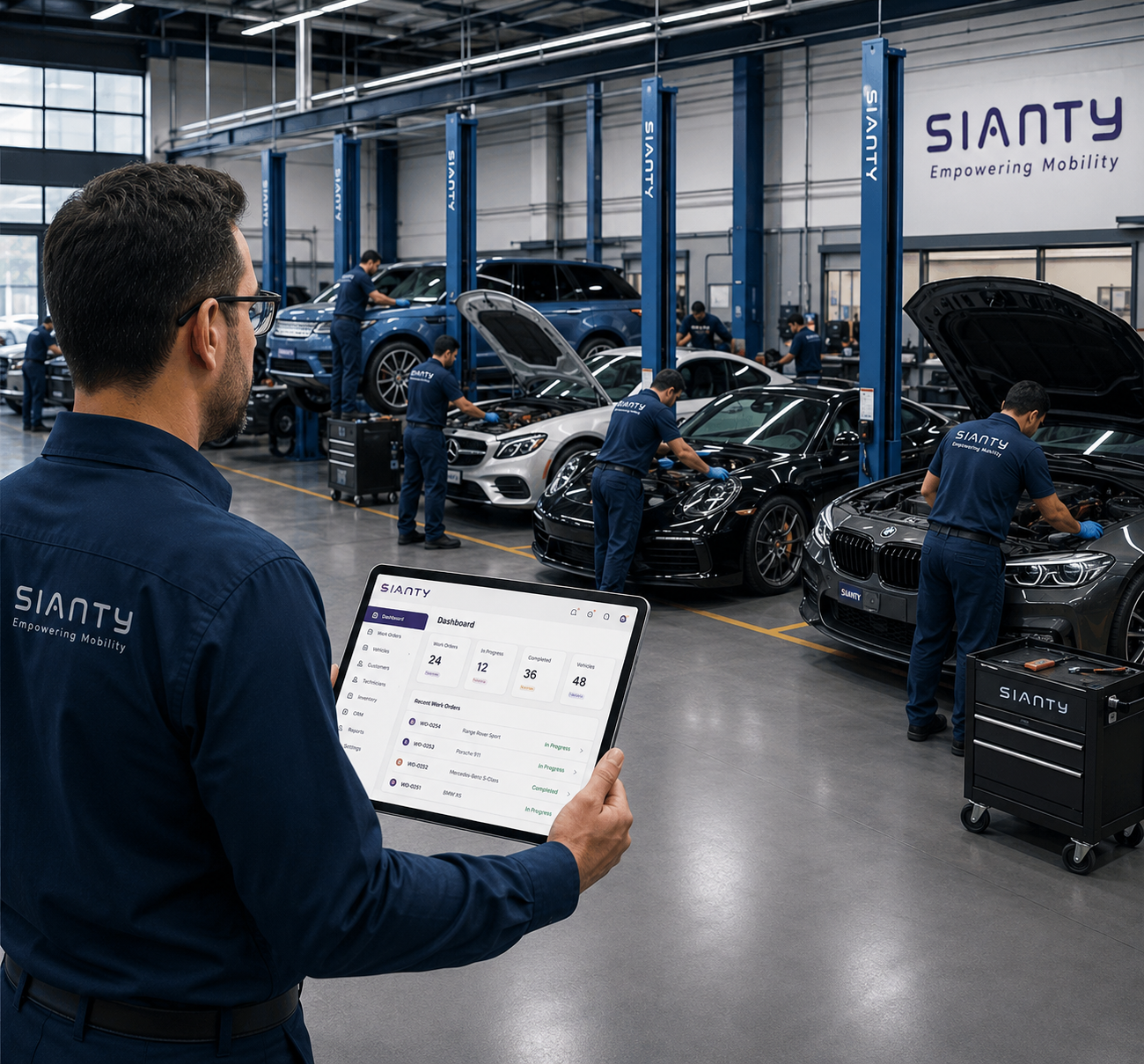
Named UAE field reports
See What Changes When Your Workshop Becomes Connected
A connected workshop should produce more than cleaner screens and less paper. The change should be visible in daily work.
Managers should know which repairs need attention. Technicians should receive clear instructions. Advisors should answer customers without searching through messages. Parts and labour should reach the invoice without being entered again.
The following examples are based on named UAE workshop case studies published by Sianty. They are not forecasts for every repair shop. Results depend on the workshop’s starting point, workload and how consistently the team uses the system.
Sharjah · Multi-bay engineering workshop
Al Tamayuz Al Handasy Engineering Center
- The problem
- Al Tamayuz Al Handasy Engineering Center runs a multi-bay workshop in Sharjah. Its workload includes routine maintenance as well as detailed engineering repairs. Before Sianty, jobs were tracked by hand. The team did not have one shared view showing which vehicles were still being repaired, which jobs had been completed, which customers had been invoiced, which payments were still outstanding and how long individual repairs were taking. A manager could see activity on the floor, but building a reliable business picture required checking separate records.
- What changed
- Repair activity, job status, billing and outstanding amounts moved into one system. When technicians completed their work and jobs were closed, the workshop’s operating figures updated with them. This gave management information it could use during the working day, not only after someone prepared a report.
- How Sianty was used
- The workshop connected job tracking with invoicing and reporting. Managers could review bay activity, parts requirements and completed work from the same operating data. That made it easier to plan technician workloads, prepare parts orders and decide when the workshop had enough demand to add staff or capacity.
- The result
- Sianty’s named customer case study reports 40% revenue growth, a 30% reduction in time spent per job and a 25% improvement in efficiency.
These figures belong to this named case study. They are not a forecast or guarantee for every workshop.
UAE · Specialist EV workshop
EVU EV Service Center
- The problem
- Specialist work required accurate model, VIN, mileage, repair and payment records from bay to billing. On a high-value EV, a missing detail can weaken both the technical record and customer confidence.
- What changed
- The job card became the shared record, with itemised invoicing, Arabic and English access, and hands-on support. The same vehicle details remained available to technicians and the front desk.
- How Sianty was used
- EVU used the repair record to keep vehicle details, work completed and payment information together. This matters in specialist work because the customer, technician and advisor need the same accurate history rather than three partial versions of the visit.
- The result
- EVU highlighted the practical support around the product and described Sianty’s team as available 24/7.
The published EVU example supports the service and workflow details above. No separate revenue or efficiency percentage is assigned to this customer.
UAE · Eight-bay repair shop
Salmo Auto Maintenance
- The problem
- Salmo Auto Maintenance operates an eight-bay workshop. On a normal day, those bays may contain vehicles at very different stages. One may be receiving an oil service, another may be waiting for brake parts and a third may be ready for invoicing. When job information lives mainly with technicians, the manager has to walk between bays to understand what is happening. Advisors then repeat the same process when customers call for updates.
- What changed
- Salmo’s technicians began using iPads on the workshop floor. Vehicle information, work details and current job status could be recorded where the repair was taking place. The dashboard gave management a faster view of the eight-bay workload. The front desk could work from the same information used on the floor.
- How Sianty was used
- The team used digital job cards to record vehicle details and repair activity. Live status information helped show which vehicles were active and which needed the next action. Once work was completed, the same operating record supported invoicing and handover.
- The result
- Daily reporting became faster than Salmo’s previous walk-the-floor routine. The workshop could handle more activity without making managers depend on verbal updates from every bay.
That is what a connected workshop should change. It does not remove the need for experienced managers or technicians. It gives them a more accurate picture of the work they already know how to manage.
Evidence Beyond a Single Workshop
Across the platform, Sianty currently processes more than 35,000 service records each month and has supported records for more than 25,000 vehicles.
Those figures do not promise a specific revenue increase. They show that the system is being used for real repair activity at working scale.
The more important test is what happens inside each repair:
- The customer complaint remains attached to the vehicle
- Inspection findings inform the estimate
- Approved work reaches the technician
- Parts usage remains connected to the job
- Completed labour reaches the invoice
- Management can review the result without rebuilding the record
That is the difference between installing software and connecting the workshop.
Test the workflow, not the slides
How to Choose Auto Repair Shop Software
Bring a recent difficult repair to every demonstration. A polished feature list matters less than what happens when the customer approves only part of the work, a technician changes, a deposit has already been taken or a part moves between branches.
A long feature list can make two products look almost identical. A real repair exposes the difference between features that sit beside each other and a system that carries information through the full job.
Use the same scenario with every provider. Ask each salesperson to demonstrate it from the first customer record to the final payment. Score what the team can complete, what must be entered again and what still depends on paper, a private message or another application.
01Does It Cover the Complete Repair Workflow?+
Start by mapping how a repair currently moves through your business: appointment or walk-in, vehicle and customer check-in, inspection, estimate, customer approval, job assignment, parts issue, repair and quality checking, invoice and payment, then service history and follow-up.
The software does not need to force every workshop into an identical process. It should, however, cover the full repair without staff creating side records to fill gaps. During the demonstration, count how often information is entered again. If the advisor records the VIN during check-in, the technician should not have to type it into a second job system. If the estimate already contains the approved labour and parts, accounts should not have to rebuild those lines manually.
A feature may exist without being properly connected. That distinction matters more than the length of the feature list.
Demo test: Use a job with extra work, a technician change and a deposit. Count every repeated entry and every point where staff must leave the system.
02Are Inspections, Estimates and Approvals Connected?+
An inspection should create usable repair information. It should not end as a report that someone must read and retype.
Ask the provider to demonstrate how a technician’s finding becomes an estimate line. Then ask what happens when the customer approves all recommended work, approves only selected items, declines an item until the next visit, requests an explanation before deciding or approves additional work after the repair has started.
The system should keep a clear record of what was recommended and what the customer decided. The technician must be able to distinguish approved work from work that is still awaiting a decision. Check whether declined work remains in the vehicle’s service history. A recommendation that disappears after the invoice is created cannot support a useful future reminder.
Digital approval should also record the approved items, amount and time of the decision. A message saying ‘okay, proceed’ is less useful when nobody can tell which version of the estimate the customer saw.
Demo test: Approve pads, decline discs, then add authorised labour after the repair has started. Confirm that every decision reaches the job card and service history.
03Are Parts Connected to Repair Jobs?+
Inventory should answer more than how many parts the company owns. It should show what is available at the correct location, what has been reserved, what was issued to a job, what was returned and what needs to be ordered.
Ask the provider to issue two parts to one repair and return one of them. The job cost, stock quantity and invoice should all reflect the same movements. If the part is available at another branch, the system should make that location clear instead of presenting one misleading company-wide total.
Also test purchasing and cost changes. A useful auto parts inventory management process keeps the supplier, purchase cost, selling price and repair job connected. This reduces the chance of a technician using a component that never reaches the customer bill.
Demo test: Issue two parts, return one, transfer another between branches and inspect the stock, job cost and invoice.
04Does Billing Reflect Actual Work Completed?+
The final invoice should reflect what the workshop completed, not simply copy the first estimate. Trace every invoice line back to approved labour, a service or a part issued to the job.
Test the situations that usually expose billing gaps: a deposit taken at booking, a discount approved by a manager, a partial payment, an unused part returned to stock, extra labour approved during repair and the taxes used by your business. The outstanding balance should remain visible after the customer leaves if payment was not completed.
For a UAE workshop, check the exact invoice fields and VAT treatment used by the business. For another country, use that market’s real tax and currency settings. A generic sample invoice is not enough evidence.
Demo test: Compare the final invoice with the complete job history, not only with the original estimate.
05Can Managers See Workshop Status in Real Time?+
A busy board is not useful unless it explains what needs attention. The manager should be able to separate work waiting for customer approval from work waiting for parts, active technician work, quality checking and vehicles ready for collection.
Ask who owns the next action. If a repair is held for a missing part, the system should not make the manager interrupt the technician to discover that fact. If approval is late, the service advisor should see the same reason and contact the customer.
Use the technician’s phone or tablet during the demonstration. Change a job status on that device and confirm that the manager and front desk receive the current information without a manual refresh of a second record.
Demo test: Move a job through approval, parts, active repair and quality checking from a technician device while watching the manager view.
06Can Customers Communicate and Approve Work Digitally?+
Digital communication should help the customer make a clear decision. It should show the recommended work and price, then record what the customer viewed, approved or declined.
Do not assume every customer wants to install an app for one repair. Test the actual mobile experience from the message through the approval. The workshop should still be able to record a phone or in-person decision when that is what the customer prefers.
Ask where the approval is stored, whether the approved amount and time are visible and what happens when only part of an estimate is accepted. The technician should receive the decision without relying on a forwarded screenshot from the advisor.
Demo test: Send a partial approval request to a normal phone and confirm that the exact decision reaches the active job.
07Can the System Scale to Multiple Locations?+
Multi-location support is more than adding a branch name to a customer record. Test branch stock, user access, labour rates, vehicle history and combined reporting.
Owners need central oversight without giving every employee access to the whole business. A branch manager may need local job and stock control while senior management compares performance across the group. The same customer or vehicle may also visit a different location, so the provider should explain how history is shared.
Ask what changes in the price when another site is added. The written proposal should state the included branches, users and modules so growth does not create an unexpected cost structure.
Demo test: Transfer a part between two branches, open the same vehicle history at both locations and compare local with group reporting.
08Is It Easy for Workshop Staff to Adopt?+
A manager-friendly sales demonstration does not prove that the workshop team can use the system during a normal day. Let advisors, technicians, parts staff and accounts complete their own tasks.
Use the same phones, tablets and computers planned for the workshop. Ask a technician to open an assigned job, record a finding and request a part. Ask an advisor to prepare a partial approval. Ask accounts to trace the completed work into an invoice and payment.
Also ask about setup, training, data export and support after the sale. Sianty provides a dedicated onboarding contact, walkthroughs, training resources and 24/7 help by chat, email and phone. Adoption still depends on assigning internal owners and practising real exceptions before go-live.
Demo test: Give each role one real task and one exception to complete without coaching from the salesperson.
A controlled changeover
Switching to Auto Repair Shop Software
The concern is not learning a new screen. It is protecting tomorrow's bookings, open repairs, stock, deposits and unpaid invoices while the workshop keeps working.
A safe move starts with the work that is live today. Customer and vehicle data matters, but open jobs need more care because they may already contain an approval, issued parts, a deposit and a promised collection date.
Do not treat implementation as a one-day software event. Give the change a clear owner, decide what will move, practise the exceptions and choose a cut-off that every role understands.
Assess Your Current Workflow
Review how normal and difficult jobs move today. Include a walk-in, a partial approval, a repair waiting for parts, a returned component and an unpaid balance. Find the paper notes, private messages and late stock updates that the new process must address. Record open jobs, unpaid invoices, future bookings and current stock as a starting baseline. This gives the team something concrete to reconcile after the move.
Set Up Your Sianty Workspace
Configure the company, branch, tax, currency, invoice and repair-stage settings with the Sianty onboarding team. Decide which settings are shared and which differ by location. Name the real job stages used by the workshop so staff can recognise them on day one. Assign an internal owner who can make decisions when a process question appears during setup.
Move Your Customer & Vehicle Data
Remove duplicate customers, correct VIN and registration details, and decide which historical records are worth moving. Test a small import first. Keep a backup of the original export and compare record counts before moving the full data set. A clean customer and vehicle list is more useful than importing years of inconsistent entries without review.
Decide How Open Jobs Will Move
Open repairs need separate attention. Check approved work, parts already issued, deposits, balances and promised dates one job at a time. Decide whether each repair will finish in the old system or move into Sianty. A customer-list import cannot make these job-level decisions, and copying an open invoice without its approval and parts history can create a misleading record.
Configure Users, Services, Labour, Parts & Pricing
Give each employee personal access based on the work they perform. Then check service packages, labour rates, technician assignments, parts costs, selling prices and VAT treatment. Test the advisor, technician, parts and accounts views separately. For more than one branch, confirm local stock, rates and permissions as well as the management view.
Train Your Team With Real Repair Examples
Role-based training works better than one long general session. Let advisors practise check-in and partial approval. Let technicians record inspection findings and request a part. Let the parts team issue and return stock. Let accounts trace completed work into an invoice and payment. Include at least one exception before the first live customer job so the team knows who to ask when something does not follow the ideal path.
Go Live With a Clear Cut-Off
Choose when new work will stop entering the old system. Check the first week daily and keep legacy records read-only until bookings, open jobs, stock and balances match the agreed baseline. Fix small process gaps while the number of new records is still manageable. The goal is not to move every old habit into new software. It is to protect current work while the team adopts one clearer operating process.
Sianty onboarding includes a dedicated setup contact, product walkthroughs, tutorials and webinars, plus 24/7 help by chat, email and phone. Confirm the migration scope, training sessions, branch setup and any integration work in the written proposal.
Review onboarding and supportClear purchase qualification
Auto Repair Shop Software Pricing
Sianty is offering free trial for a month. Final pricing is quote-based because one small workshop and a multi-branch group do not need the same setup.
The starting figure is useful for early qualification, but it is not a complete budget. The written quotation is the source that should guide a purchase decision.
Prepare your branch count, user roles, required modules, current data and essential integrations before the call. Ask for every cost in writing, including any data work, third-party service or added location.
Also confirm what happens after the first term. Ask about the billing period, renewal price, included support, additional users, branch expansion, data export and any charge tied to an external service.
Compare the full first-year amount with the labour, parts and admin time currently being missed, not with one existing subscription in isolation. A lower monthly price can still cost more if the team must keep a separate inventory file, retype invoices or chase approvals outside the system.
No invented package tiers are shown here. Sianty’s public guidance provides the starting price, while the final commercial proposal depends on the agreed workshop setup.
Practical answers
Frequently Asked Questions
Short answers to the questions workshops usually ask before choosing or changing their repair software.
01What is auto repair shop software?+
It is a digital system for managing vehicle repairs from booking and check-in through inspection, estimate, approval, job card, parts, invoice, payment and follow-up. Unlike basic billing software, it keeps the operational record that created the sale.
02What does auto repair shop software do?+
It gives advisors, technicians, parts staff, managers and accounts a shared repair record. The workshop can manage appointments, customer and vehicle details, repair progress, stock, payments, service history and reporting without rebuilding the same information in separate tools.
03What features should auto repair software include?+
Look for appointments, inspections, estimates, partial approvals, digital job cards, technician status, job-linked inventory, VAT invoicing, payments, customer history, reminders, reporting, user roles and mobile access. More important, test whether the information moves correctly between them.
04Can auto repair software manage parts inventory?+
Yes. It can record stock by location, purchase and selling prices, suppliers, reorder levels, purchase orders, parts issued to jobs, returns and adjustments. Opening quantities should still be physically checked before the system goes live.
05Can it create estimates and invoices?+
Yes. Sianty can prepare estimates with labour, parts and VAT, retain approved and declined items, and create the invoice from completed work. Deposits, payments and outstanding balances can remain attached to the customer and repair record.
06Can auto repair software track technicians and repair jobs?+
Yes. Managers can see assignments and repair stages, while technicians update assigned work from the floor. The purpose is to identify the next action, such as customer approval or a missing part, without repeatedly interrupting the bay.
07Is it suitable for a small auto repair shop?+
Yes. A small shop often benefits because the owner has limited administrative help. It can begin with the modules causing the most daily trouble, then add inventory, CRM or another location when the team is ready.
08Can Sianty manage multiple locations?+
Yes. Sianty supports branch-level teams, stock and reporting with a combined management view. The quotation should state how many branches are included and the cost of adding another location.
09How much does auto repair shop software cost?+
Sianty's latest published guidance lists a starting price of US$49 per month. Final pricing is quote-based and can depend on shop size, branches, users, modules, onboarding and integrations. Use the written proposal, not only the starting price, for budgeting.
10Is Sianty suitable for UAE and GCC workshops?+
Yes. Sianty supports Arabic and English, VAT invoicing, configurable tax and currency settings, and 24/7 support across GCC working hours. Requirements for any other market should be reviewed during the demonstration.
11How long does implementation take?+
Sianty says many workshops can take bookings and raise a first invoice within a few days of onboarding. A multi-branch business or a shop moving extensive history may need longer. The timetable should account for data checks, open jobs, configuration and training.
Bring a real repair to the demo
Run Your Auto Repair Shop From One Connected Platform
Choose a job with additional work, a missing part or partial customer approval. Follow it through Sianty from check-in to payment and see whether the record stays clear for every team.